
If you’re new to the apparel industry, you’re new to tech packs.
They’re essentially a recipe for your designs—just like in a cookbook, there’s a picture (or several), a list of ingredients, and instructions on how to make it.
That’s a simplified analogy, but you get the idea. Once your factory partner receives a copy of your design “recipe,” they can estimate costs and create your first prototype sample.
Hopefully, that first sample follows the recipe and turns out just as you envisioned.
Tech packs vary in detail. I’ve seen simple two-page tech packs containing only front and back CADs alongside basic graded specs.
More complex styles, such as technical outerwear, require several pages of detailed construction sketches and an extensive Bill of Materials (BOM) detailing all fabrics and trim components.
As long as your tech pack accurately communicates everything the factory needs, it works! However, if the factory frequently follows up with questions, your tech pack likely needs more detail.
While using tech packs and artwork packages I created during her sourcing process, a startup client received this feedback from a factory:
“The efficiency comes from you. You shared very professional documents, which made our communication and coordination smooth. Thank you for your hard work. I hope we can kick off this project quickly.”
That is the best feedback ever!
Here’s an overview of what goes into a tech pack:
To start, I use Excel for setting up tech packs. This file format is the most portable and universally accepted across factories. Each section has its own tab, making it easy to navigate.
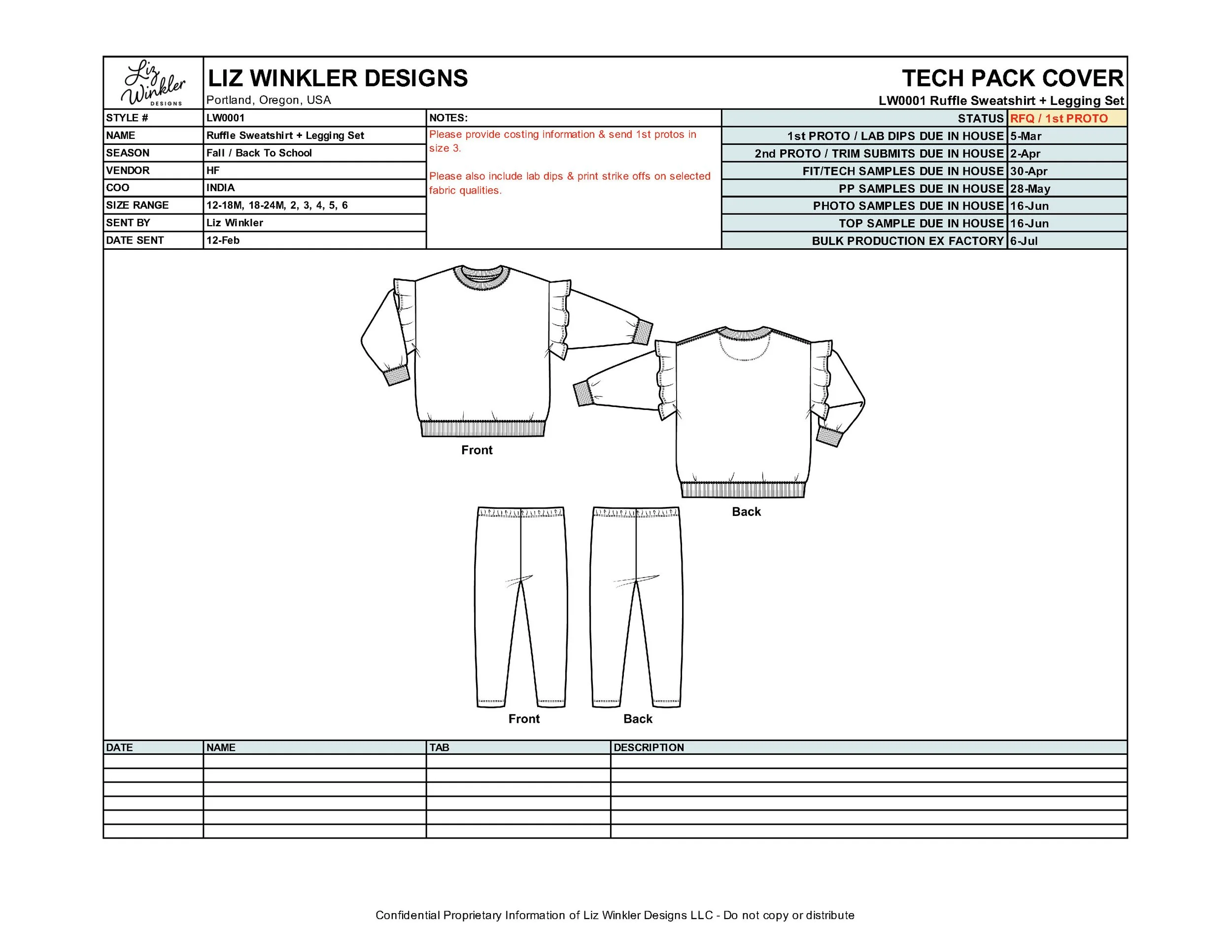
Cover Page:
This is where all key style details live: style number, description, vendor, country of origin, size range, and dates.
Basic black-and-white CADs showing the front and back of the style
Revision log detailing update dates and notes on changes made
Style status & timeline of when samples are due
*Note: A tech pack is never truly final. It evolves throughout the development process. Even after production, the same tech pack can be updated and reused for subsequent seasonal re-orders.
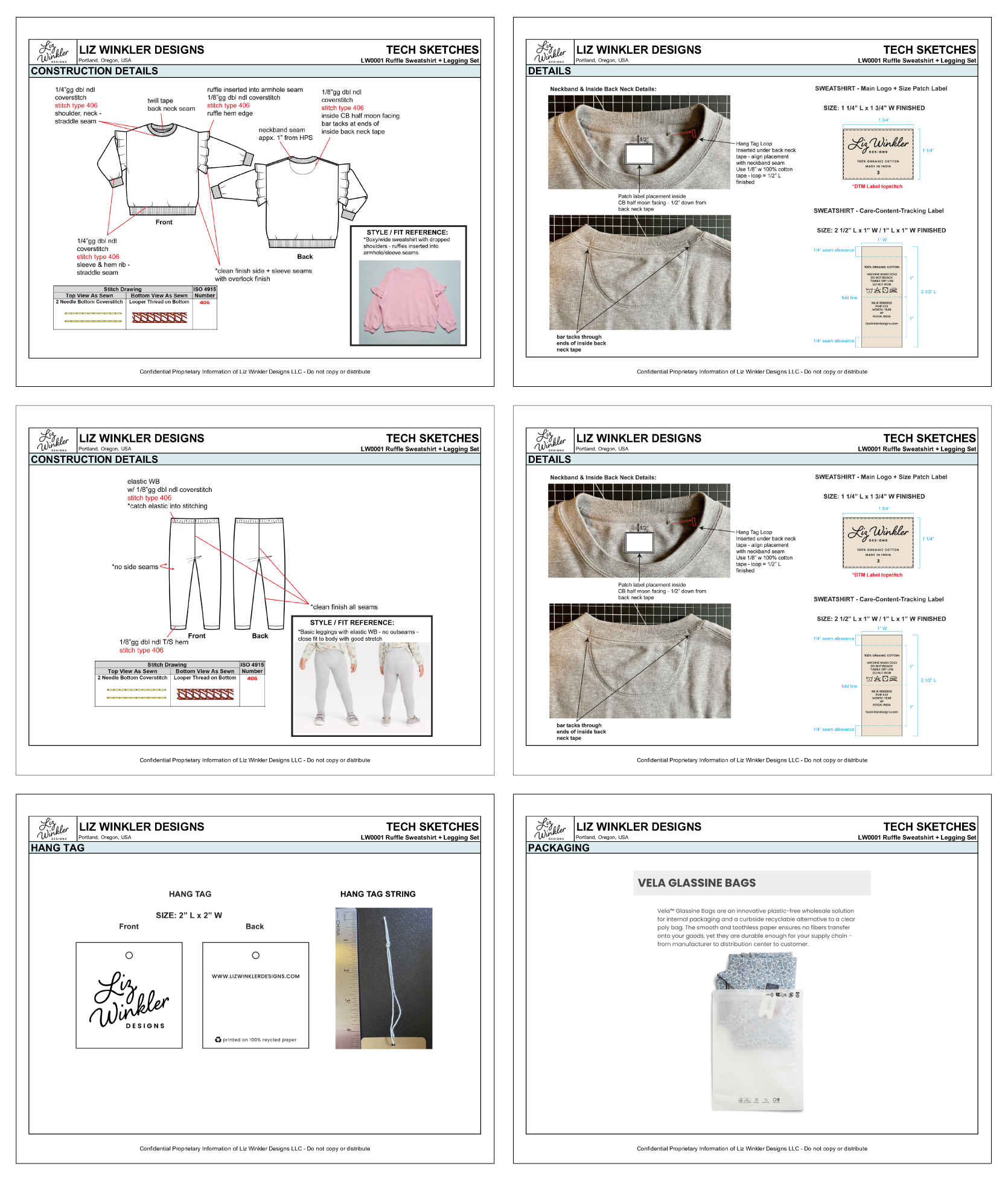
Sketches:
Construction details
Trim details
Style and fit reference photos (the more visuals you include, the better)
Label placement
Hangtag and packaging details
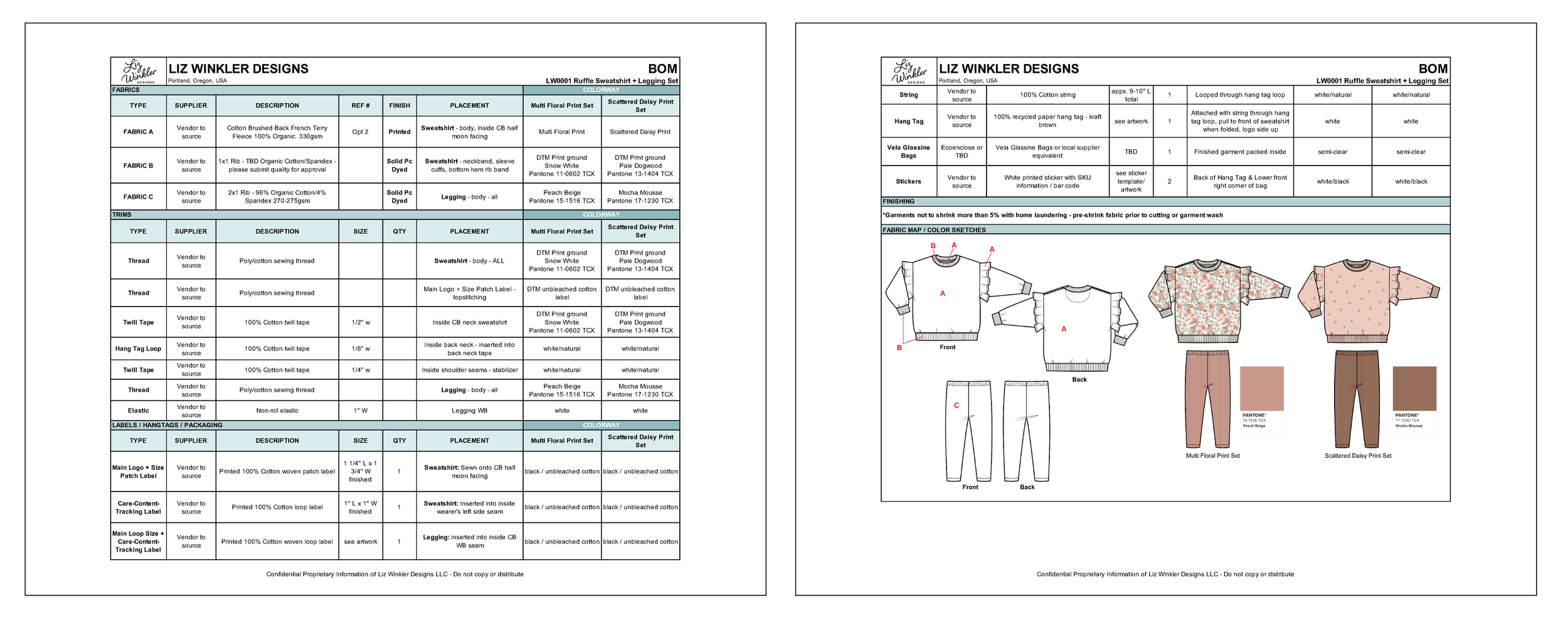
Bill of Materials (BOM):
All fabrics and trims used, including descriptions, sizes, quantities, and garment placement
Labels and packaging details, down to the SKU stickers
Color assignments for every fabric and trim per colorway
Black-and-white CADs with fabric placement coded for cutting reference
Color CADs
Additional notes for print direction or stripe alignment
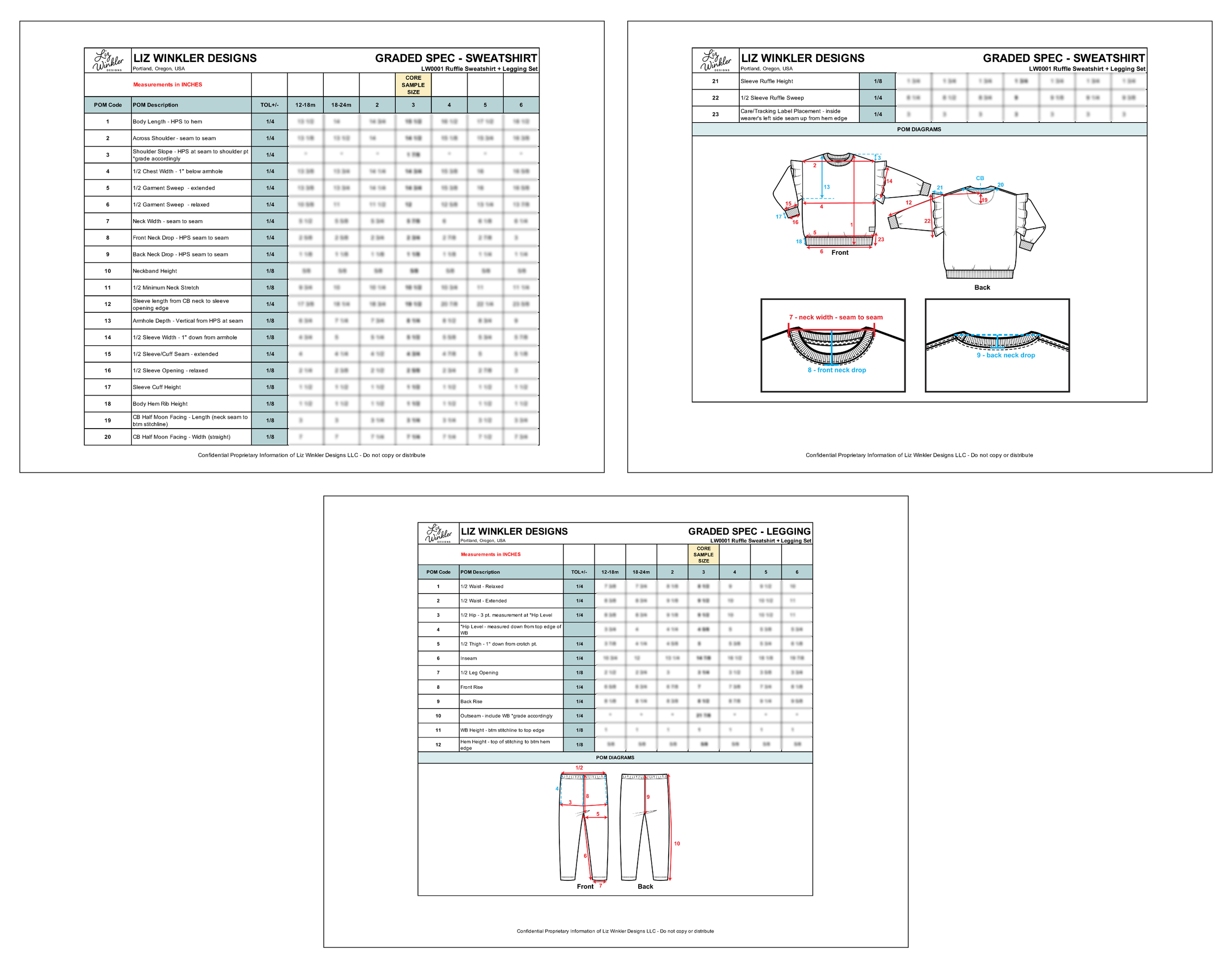
Graded Specs:
Unit of measurement (inches or centimeters)
Points of measure (POMs)
Tolerance
Sizes & base sample size
POM code diagram to clarify exact measurement locations
For trims like labels and hangtags that apply across multiple styles, I create separate artwork packages. The tech pack references these items, but the full specifications live in the artwork package. Updating a single PDF is far more efficient than modifying every individual tech pack, and factories need these files separated to share directly with trim suppliers. The same process applies to surface designs such as all-over prints, screen prints, and embroideries.
Artwork Packages:


Tech packs and all of their coordinating artwork files enable factory partners to translate your ideas into patterns and, ultimately, sewn product prototype samples. They’re also mandatory for requesting costing information.
Need help going from concept to product? Let’s connect!